
In 2026, it almost looks odd.
A lawyer sits in a courthouse corridor. In their pocket—a smartphone. At the office—a computer. In their inbox—dozens of messages. In messengers—clients, colleagues, documents, assignments. There are calendars, cloud storage, CRM systems, specialized apps, and AI assistants.
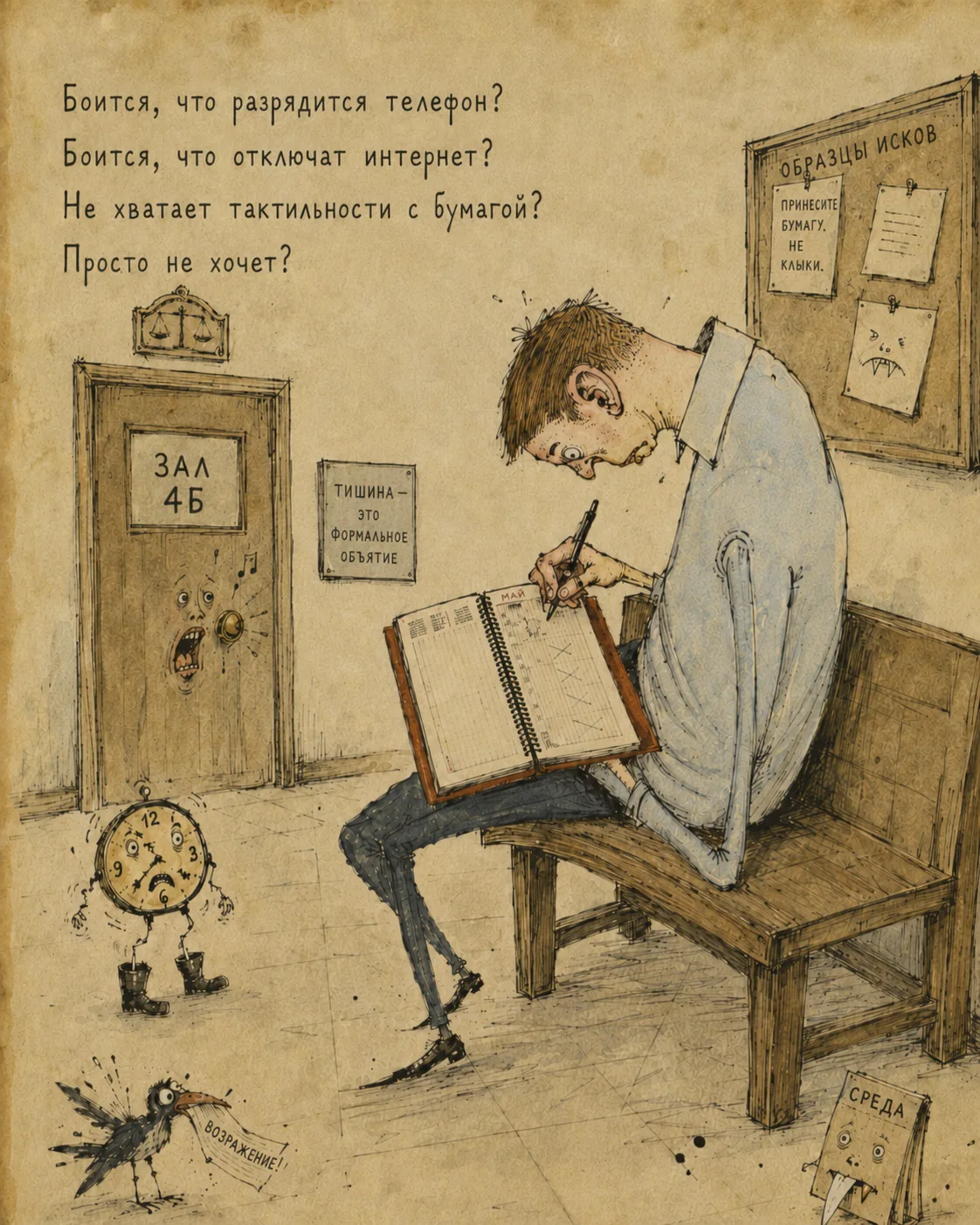
On their knees—a paper planner. In their hand—a pen. And the important note still ends up not on the phone, but on paper.
Why?
Afraid the phone will run out of battery?
Afraid the internet will go down?
Missing the tactile feel of paper?
Simply does not want to?
Sometimes the answer is yes—to all of the above at once.
And there is nothing laughable about that. Or rather, something is amusing—but the issue is serious: lawyers' move to digital tools is not simply a matter of "install an app." It is a matter of trust, habit, speed, accountability, and the sense of control.
Paper versus everything else
It is important to distinguish two different situations.
One situation is a lawyer who already uses a computer: spreadsheets in Excel, reminders in a calendar, notes on the phone, documents in folders, conversations in messengers. They already have a digital environment—it is just fragmented.
Another is someone who fundamentally holds on to paper—not Excel, not a smartphone calendar, not a task app, but the thing you can open, set on the desk, cross out, circle, underline, dog-ear, and feel: "I have this under control."
These are not the same thing.
Excel is already a digital tool. It may be awkward for case management, but it is still digital. A phone calendar is digital too. Notes, reminders, file folders—all of that is already a step toward automation.
A paper planner is a different world. It does not sync, search, remind, delegate, or build reports. But it does not freeze, demand a password, update at the wrong moment, or distract with notifications.
Why a standard calendar is not enough for a lawyer
At first glance it seems simple: there is a hearing—put it on the calendar. There is a task—add a reminder. There is a document—save it to a folder.
But legal work rarely consists of isolated actions.
A court hearing is tied to a matter. The matter is tied to a client. The client is tied to a contract and payment. A task is tied to a document. A document is tied to a deadline. A deadline is tied to procedural risk. An assignment is tied to a specific person and outcome.
A standard calendar sees an event: "Hearing, 10:30."
A lawyer needs to understand more:
which matter the hearing concerns; what happened at the last hearing; which documents to bring; who is responsible for preparation; what was promised to the client; which deadlines will start running after the hearing; what must be done immediately afterward.
A calendar shows time. But it does not always show meaning.
What digital tools provide
A good system for managing legal work is not about aesthetics or fashion. It exists so that important things do not live only in one person's head.
Digital tools offer several clear advantages.
First, deadline control. A paper note can be lost, a page left unopened, a reminder forgotten. A system can warn in advance, show overdue items, and link a deadline to a matter and a task.
Second, connectivity. In a proper system, a task does not float on its own. It belongs to a matter, client, document, team member, event, or assignment.
Third, search. Six months later you can find who promised what, when a document was sent, why a hearing was rescheduled, what was discussed after a call.
Fourth, teamwork. A paper planner works for one person. But as soon as there is a team, questions arise: who saw the note? who is responsible? who checked? what is done? where is the result?
Fifth, automation. Repetitive actions can be accelerated: creating tasks from emails and messages, generating documents from templates, calculating deadlines, drafting letters, reminding about follow-ups after a court hearing.
And finally—AI. But AI becomes truly useful not when someone uploads a random document. It is useful when it sees context: the matter, documents, deadlines, participants, event history, and the current task.
Why the transition often fails
The problem is that digital transition is often started the wrong way.
They buy an app—and wait for order to appear on its own.
But if work is already chaotic, an app will not necessarily fix it. Sometimes it only makes chaos prettier—with colored statuses, notifications, and tabs.
For a digital system to work, you need to agree on simple things:
- what counts as a task
- what counts as an assignment
- where a deadline is recorded
- who updates the status
- where call outcomes are logged
- what must always be linked to a matter
which system is the primary source of truth.
Without these rules, everyone will keep working their own way. One—in a planner. Another—in Excel. A third—in Telegram. A fourth—in their head.
Formally, there will be tools. But there still will be no real management.
Why the paper planner is still alive
A paper planner should not be mocked. It survived for a reason.
It is fast. You can open it and write immediately.
It is physical. Writing by hand feels different from a line in an app.
It does not distract. There are no notifications, emails, chats, news, or random messages.
It tolerates mess. You can write abbreviations, arrows, crooked lines, notes in the margins, "important!!!" marks, and symbols only the author understands.
It is familiar. And habit matters greatly in legal work: in court, at a meeting, on the road, people often choose not the most advanced tool, but the one they trust in that moment.
Paper is also psychologically calming. When there is a lot going on, writing by hand creates the feeling that a thought has been captured—that it will not slip away.
The problem starts later.
When you need to find a document from that note. Assign a task to an assistant. Monitor a deadline. Hand the matter to another lawyer. Reconstruct history a year later. Understand exactly what was done and why.
That is where paper loses.
Paper can be a draft, but not the matter's memory
The right question is not whether to abandon paper notes immediately.
You do not have to.
For many lawyers, paper will remain convenient for a long time: in court, at meetings, on calls, for quick sketches of a position.
What matters is different: paper must not be the only place where deadlines, assignments, outcomes, and important decisions live.
Paper can be a draft of thinking. But the matter's memory must be in the system.
If after a hearing a lawyer makes a note in a planner—that is fine. But from that note there should then appear: the hearing outcome, new tasks, procedural deadlines, assignments, documents, and reminders.
Otherwise valuable information will remain on a page no one but the author will see.
How to transition without forcing yourself
The best transition is gradual.
There is no need to announce one day: "From Monday, no one uses notebooks."
- Better to start with simple steps:
- choose one type of matters
- record mandatory deadlines
- link tasks to matters
- move important notes from paper into the system
- do not leave assignments only in messengers
- after each court event, briefly record the outcome
once a day, clear paper and digital "loose ends."
The main thing is not to try to automate everything at once. First, define what truly cannot be lost.
For a lawyer, that is usually deadlines, documents, assignments, agreements with the client, and the history of key events.
What a tool for a lawyer should be
A legal tool cannot be just an attractive task list.
It must understand that a lawyer works not with abstract "today's to-dos," but with legal matters, clients, documents, deadlines, hearings, assignments, evidence, and risks.
A good system should help capture information quickly, link it to the right matter, stay out of the way in tense moments, support teamwork, and preserve history.
And it is crucial: it must not make the lawyer think like a database administrator.
If a simple note requires five windows, ten fields, and remembering the right status, the lawyer will reach for the paper planner again—and they will be right.
Where AI fits in
AI does not replace case management. It amplifies it.
If data is scattered across notebooks, folders, chats, and random files, AI has to figure out what is going on from scratch each time.
But if the system already has the matter, documents, tasks, deadlines, participants, and history, AI can help far more precisely: find what matters, build a chronology, draft documents, highlight risks, suggest next steps.
AI is useful where there is context. And context appears where legal work is organized.
Not a war between paper and digital
In truth, this is not an argument between a paper planner and an app.
It is an argument between accidental memory and managed work.
If important information lives only in a notebook, in someone's head, in correspondence, or in scattered files, legal practice becomes dependent on chance.
Digital tools are not needed to look modern. They are needed so deadlines are not lost, tasks are completed, documents are found, assignments are monitored, and matter history is clear to more than one person.
Paper can stay. So can the pen.
But the control center of legal work should still be where information can be found, verified, handed off, linked, and reused.
In 2026, the question is no longer whether a lawyer writes by hand. The question is whether that note will remain a lonely line in a planner—or become part of a real system for working with the matter.